Item statuses
Verifying, Available, Reserved, Sold, Removed — what each badge means, which of them are reversible, and how Kops keeps watching an item after it lands in your feed.
Cards in /feed carry a status badge only when there is something to say. A listing that is plainly on sale carries none — which is the common case, and why a feed of ordinary cards looks unbadged.
The five states
| Badge | What it means | Can it change back? |
|---|---|---|
| (none) | On sale, nothing unusual | — |
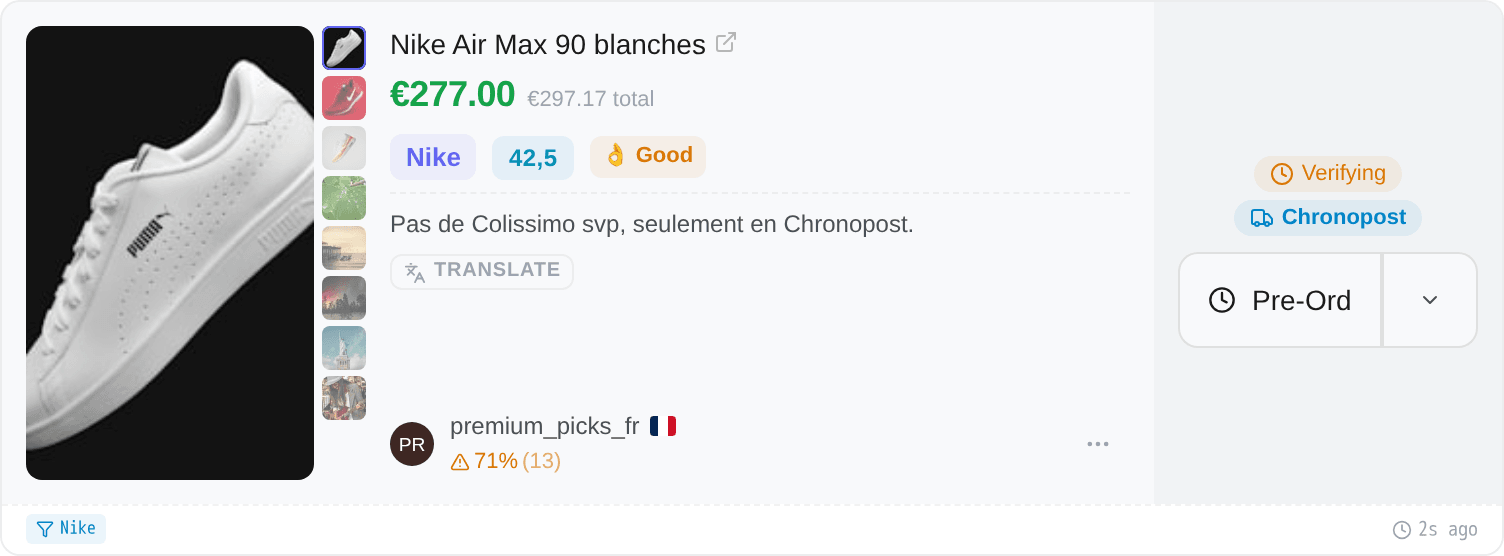
| Verifying | Vinted is still checking the listing. Not buyable yet | check Usually becomes Available |
| Available | A listing that was being verified and has just been released | check Can go to any other state |
| Reserved | A checkout is holding it | check Yes — see below |
| Sold | Somebody bought it | cross Final |
| Removed | Vinted took the listing down | cross Final |
Available is worth reading carefully: it is not "this can be bought", it is "this has just become buyable". An ordinary on-sale listing shows nothing at all, so a green badge is news.
Two states have a — Kops variant. Reserved — Kops means a Kops user is paying for this item right now; Sold — Kops means this item was purchased by a Kops user. Neither says it was you.
When you are the buyer
Once one of your own accounts has bought an item, the status badge disappears from your card entirely — the buy button already says Purchased, and two labels for one fact is one too many.
The single exception is Available: if a listing you bought is released from verification, the green badge stays, because that is a fact about the listing rather than about your purchase.
Reserved is not sold
This is the badge that gets misread most, and the distinction is worth money.
A Reserved item has a payment in flight — the tooltip says so: a checkout is holding this item — it goes back on sale if the payment isn't completed. If that payment does not complete — a declined card, an abandoned bank verification, a checkout that timed out — the item goes back on sale.
So a Reserved item is not gone. It is an item somebody else is currently failing to buy, and it is worth watching for a few seconds rather than closing the tab. It is also drawn in amber rather than red, and the card is not greyed out, for exactly that reason.
Sold is the one that is final.
Verifying, and what happens next
Some listings arrive before Vinted has approved them. The marketplace is checking the photos, the description, the authenticity claim — and until it is done, nobody can buy the item, including you.
Kops does not drop those. It keeps checking, frequently at first and then further apart, for more than a day — well past the point where almost every listing has resolved one way or the other. Hover the badge and it shows the countdown to the next check, in seconds.
There are three ways it ends:
- Available — Vinted approved it. The badge turns green, and autocop can fire on it if the filter is armed.
- Sold — somebody bought it during the review. Some listings are purchasable while under review; that is exactly what a pre-order exists to win.
- Removed — Vinted rejected it. It will never be buyable.
Autocop is paused on a Verifying item, and that is not a setting — you cannot buy something the marketplace has not released. To act on one before it drops, place a pre-order.
Sold detection
The instant a product enters your feed, Kops watches it for 30 seconds to catch it being bought.
During that window it checks five times, spacing the checks out as it goes — after 2 seconds, then 4, 6, 8 and 10. If the item sells, the card flips to Sold within seconds, with no refresh from you.
After 30 seconds that watch ends. An item sold much later may keep showing as Available in your feed — the badge was accurate when it was set, and nothing contradicted it.
The sold marker is kept for 24 hours, so reloading the page does not lose it: an item you saw go will still show as Sold tomorrow morning.
Because that is the window where the answer changes anything for you.
An item that sells in the first thirty seconds tells you your filter is on a contested niche and your race is real. An item that sells four hours later tells you nothing you can act on, and watching every item in your feed for four hours would spend the attention budget on the least useful part of it.
The Purchases page is where a completed purchase lives, and it never stops tracking. The feed badge is about the race, not the order.
Why badges change on their own
Every state change is pushed to your feed live. When Kops sees an item become available, get reserved, sell or get taken down, the card updates itself — no refresh, no click.
That is also why a feed left open for an hour is still accurate. It is not a snapshot that ages; it is a list that keeps correcting itself.
Republication badges are a different axis
A card can also carry a Republication badge. That is not a listing state — the item can be on sale and republished at the same time.
It means a Kops buyer — you or anybody else using Kops — has already bought, or already fired an automatic purchase at, a listing from this same seller with the same title and description, in the last 24 hours. Match all three and it is very probably the same item, taken down and posted again under a new listing.
Two consequences worth knowing:
- The badge is not evidence of your history. It fires on anyone's, which is what makes it useful on an item you have never seen before, and what makes it wrong to read as "I bought this".
- It fires on an attempt, not only on a completed purchase. An automatic buy that failed still marks the listing.
Whether any of that blocks an automatic purchase is your call, under Repost Protection — see Autocop.