Bundles
Buy several items from the same seller in one order, with one lot of postage and whatever discount they offer. Build it from inside the conversation, see the total move as you tick, and end up in a new thread you can negotiate or auto-buy like any other.
More actions → Create a bundle, in the caret beside the buy button of any conversation on /inbox.
Why bundle
One order, one parcel, one lot of postage. Sellers often set a bundle discount on top of that, and Vinted applies it automatically once your selection crosses their threshold.
For a reseller it is the difference between three separate purchases each carrying their own shipping and buyer protection, and one that carries them once.
Building one
Create a bundle opens Bundle with {seller} — their whole closet, twenty tiles at a time, loading more as you scroll.
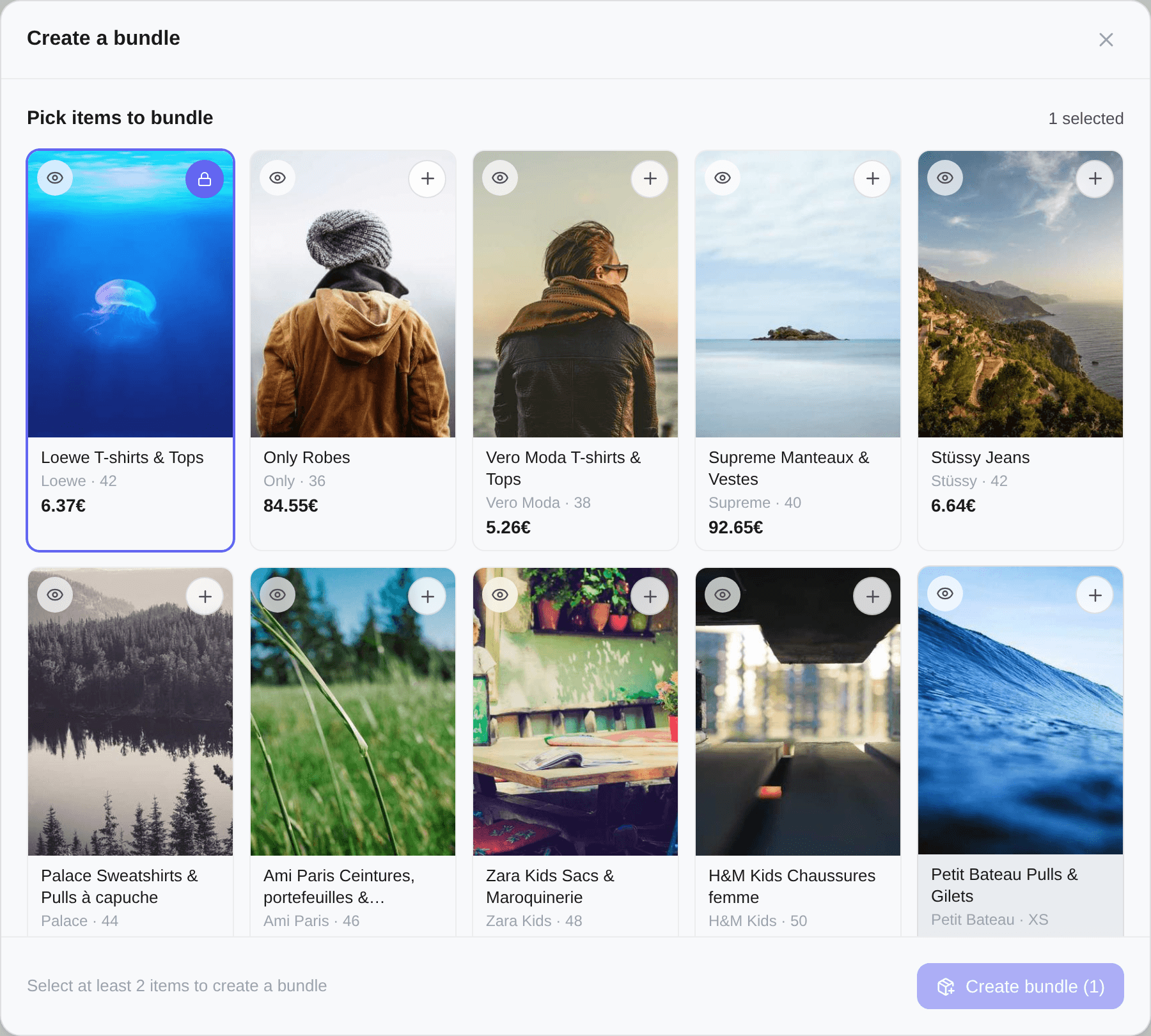
The item the conversation is about is the starting item. It carries a locked and the tooltip Starting item — always included; it cannot be unticked.
Tapping a tile selects it. The photo, the title and the price are all one target, and the + / ✓ in the corner is the same action said out loud. To look at an item properly before committing, use the eye button on the photo — that one opens the listing in full and changes nothing about your selection.
Items the seller has since sold carry a Sold badge instead of the + and cannot be ticked.
Tick at least two items in total — a one-item bundle is just a purchase. Below two, the footer says Select at least 2 items to create a bundle and the button stays disabled. The count runs in the header as {count} selected.
The running total
The footer stays the same height throughout and fills in as Vinted answers, so nothing jumps while you tick:
| Line | What it is |
|---|---|
| Total | What the bundle costs. This is the number after any discount |
| A struck-through price beside it | What the same items cost separately, shown only when a discount applied |
| −{n}% | The seller's bundle discount, when your selection has earned it |
| You save {amount} | What that discount is worth |
| incl. {amount} Buyer Protection | Vinted's fee, already inside the Total |
Every figure comes from Vinted, recomputed on each change rather than derived from the prices on the tiles — so what the footer shows is what checkout will charge. It appears once you have two items; below that there is nothing to price.
Creating it
Create bundle ({count}) hands the selection to Vinted, which opens a new conversation with that seller holding all the items. Kops takes you straight to it.
From there it behaves like any other thread. You can:
- send an offer on the bundle as a whole — The buy bar;
- arm auto-buy on it, and let Automatic negotiation work the price;
- buy it outright.
Buying from that thread buys the bundle, not the item it started from — the same is true of a retry after a failure. Sellers are usually readier to discount a bundle than a single item; there is one parcel to pack either way.
When the option is missing
Create a bundle appears only where Vinted lists this item as bundleable — the same authority the Buy button trusts. It is absent once the order has been bought, once it has been cancelled, and while the item is unavailable or in verification.
If the seller has nothing else online, the gallery says This seller has no other items online.