The Inbox
Every conversation from every connected account in one place — filed by where each thread stands, translated as you read, and able to send an offer, buy, open a dispute or answer Vinted support without leaving the page.
/inbox in the sidebar.
Vinted gives each account its own inbox and no way to see them together. This one merges them: every conversation from every account you have access to, newest activity first.
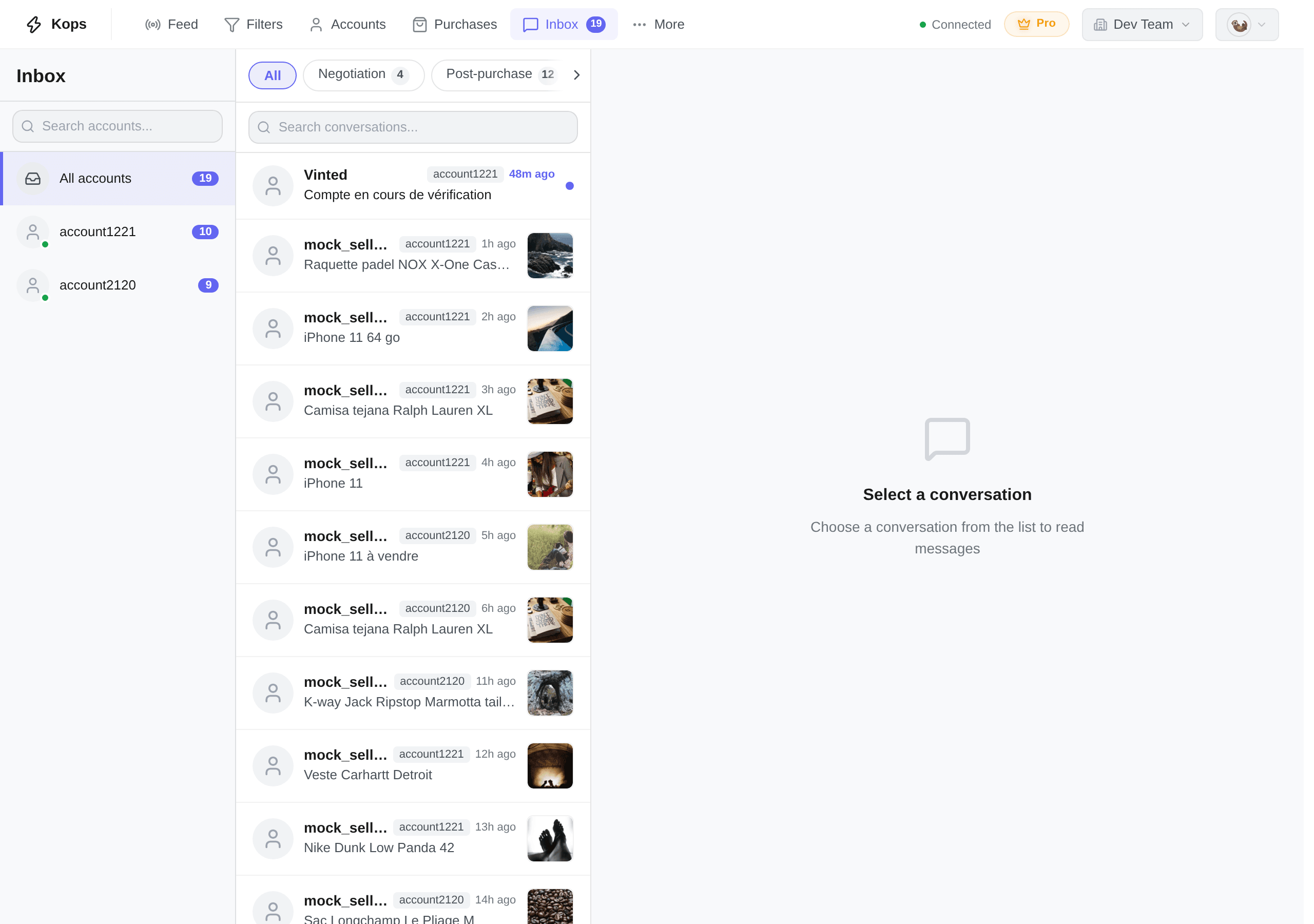
The three panels
Accounts on the left, conversations in the middle, the thread on the right. Narrow the window and the accounts column folds away into a Filter by account button above the list. On a phone the three are three screens and you move between them.
| Panel | What it holds |
|---|---|
| Accounts | A search box, All accounts with the total unread, then one row per account with its own unread count and a coloured dot |
| Conversations | The merged list, filtered by whatever you have selected above it |
| Thread | The messages, the item being discussed, and everything you can do about it |
The dot on an account says whether Kops is holding a live line to Vinted for it: green Connected — new messages arrive live, amber Reconnecting…, red Not connected. Red is not an error you have to act on; it means that account's messages arrive on the next refresh instead of the instant they are sent.
Left to right: the counterparty's avatar and name, a lightning when an automation is armed on that thread, the account the conversation belongs to, and how long ago it last moved. Underneath, the item the thread is about. On the right, its photo and a dot if the thread is unread.
The account badge is there because the list is merged — it is the only thing saying which of your accounts is talking. Filter to one account and it disappears, since it would then say the same thing on every row.
The lightning means an auto-buy or an automatic negotiation is armed here, so you can see which threads are working for you without opening them. See The buy bar.
Filtering by stage
Seven pills above the list file every conversation by where it stands.
| Stage | What is in it |
|---|---|
| All | Everything |
| Negotiation | No order yet, or one that has not been paid — where offers happen |
| Post-purchase | Paid, and the order is running |
| Dispute | A dispute is open, or a return is under way |
| Cancelled | The payment failed, or the order was cancelled |
| Completed | Settled |
| Support | A thread with Vinted itself rather than with a member |
Each pill except All carries a count, and a stage holding nothing carries none — an empty row of pills is a workspace with nothing filed yet, not a broken filter. Past ninety-nine it reads 99+.
The counts are worked out before the stage filter and after the account filter and the search, so they always describe the set you are looking at rather than the tab you are on.
Filing a conversation takes more than the list Vinted sends: the list says who wrote and when, not whether there is an order behind it. So a thread is filed the first time Kops reads it in full — when you open it, or when Vinted announces something on it — and until then it is unclassified.
Unclassified is not a pill. Those threads are in All and in no other stage, which on a workspace you have just connected is most of them. Opening one files it, permanently.
Hidden conversations
Vinted opens a thread for a lot of things that are not conversations: a status update, an automated notice, a card with two buttons. A thread made of nothing but those is hidden from the list — Hidden conversations at the bottom opens them, with a count. Nothing is deleted, and the search box is switched off in that view because there is no message text in it to match.
A thread with no messages at all — an offer sent and never followed by chat — is a different case and is not hidden. It stays in the list, but it never makes a sound and never fires a notification: a thread with no messages in it is not a new message.
Search
The box above the list matches on the counterparty's name, on the item, and on the name of the account the thread belongs to — the last one is what finds "everything my second account is talking about" in one go.
It searches the whole merged inbox, not the page you can see, and it runs inside whatever you have already narrowed to.
Reading a thread
Above the messages sits the item the thread is about — its photo, the counterparty's name, the title. Tap it and the listing opens in full, with its price and the seller's reputation. Beside it, a badge for where the order stands (Pending, Paid, Payment Failed, Dispute, Suspended, Completed, Cancelled) and, while Vinted still allows one, a ? that opens Report a problem.
A thread holds five kinds of entry, and telling them apart is most of reading one:
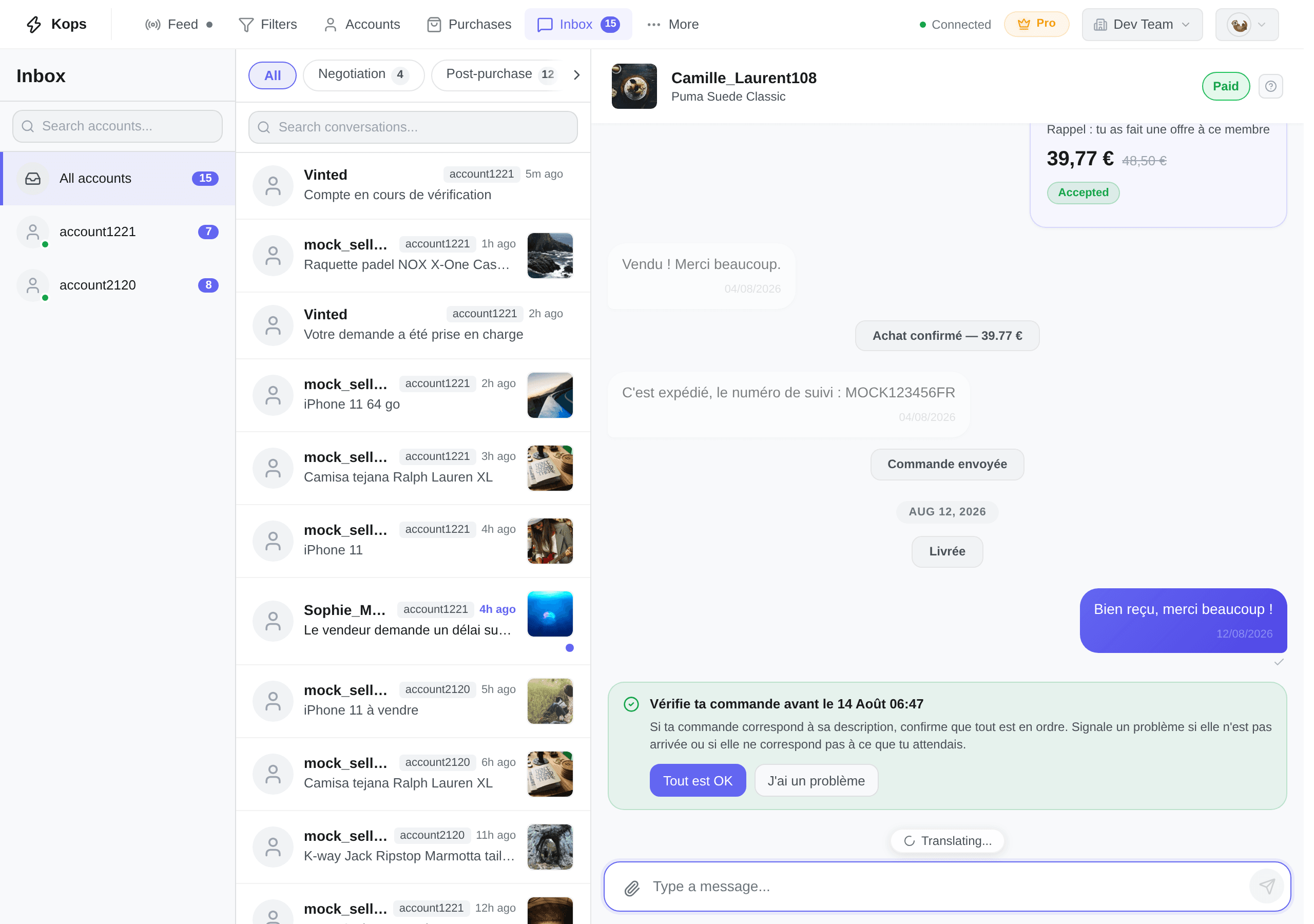
| What you see | What it is |
|---|---|
| A bubble, left or right | A message. Yours on the right, with a tick on the last one once the other side has read it |
| A bubble with a price and a status | An offer or counter-offer, marked Pending, Accepted, Rejected, Cancelled — or Current for the one in play |
| A faint centred line | Vinted narrating: Order sent, Delivered, Problem after delivery. No buttons |
| A tinted card with buttons | Vinted asking for something. Green when it is good news, red when the order is suspended, grey otherwise |
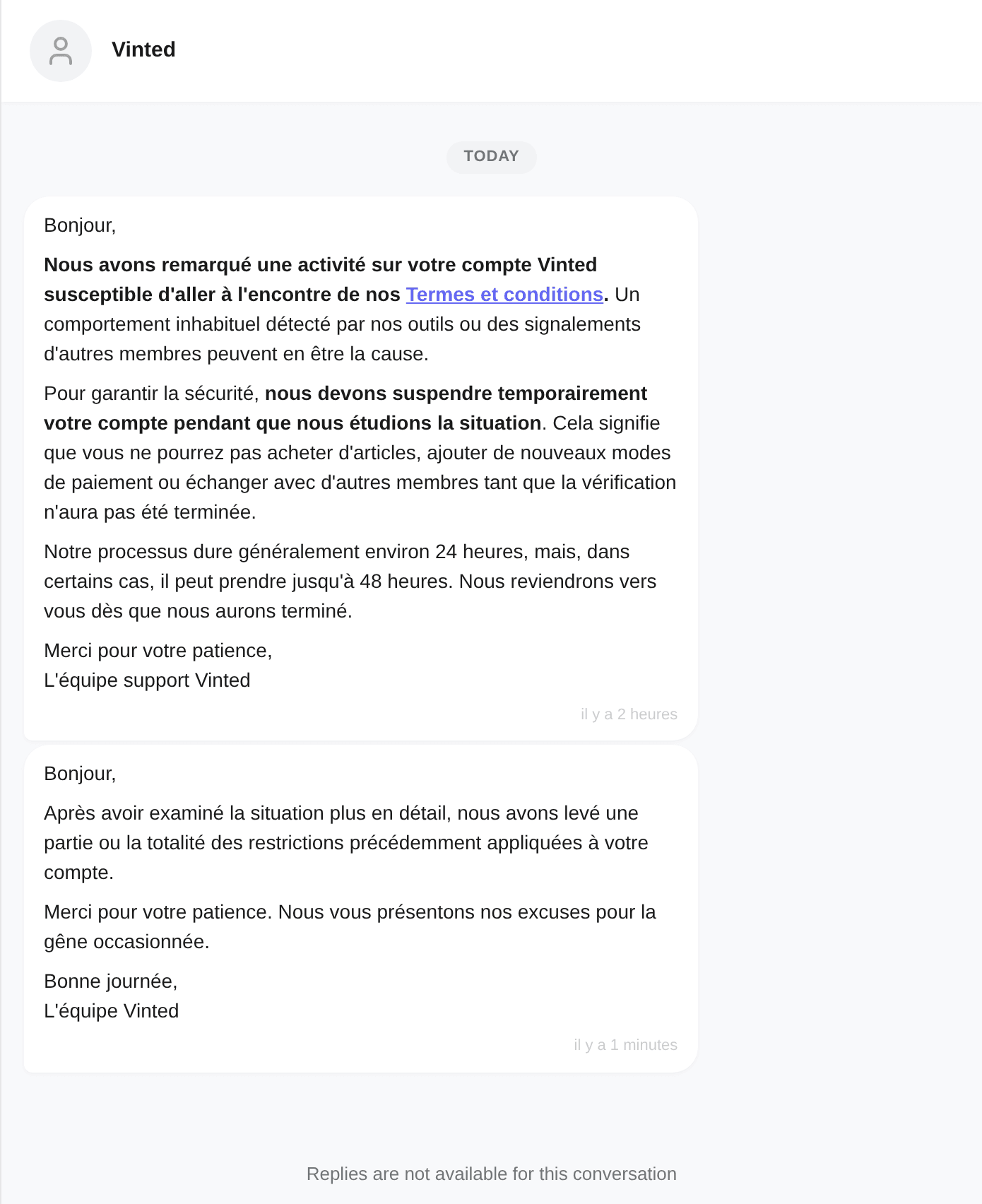
| A plain block of text with no sender | Vinted support writing to you directly |
Days are separated by Today, Yesterday or the date. If you scroll up to read history, new messages do not yank you back down — they gather on a {count} new messages pill that returns you to the bottom.
The last one is Vinted writing to you directly rather than through a member — a notice about your account, a change of terms. Those threads file under Support, carry no item and usually take no reply.
Messages the other side writes are translated into your language as you read them. The badge above the composer says Translated, and its Show original puts them back; the other way round it reads Original / Translate, and Translating… while the rest are still arriving.
The toggle covers the whole thread and is remembered in your browser, so it is a decision you make once rather than per message.
Only the counterparty's own text is translated — never photos, never your own messages, never Vinted's cards, and never a message already written in your language, which is simply left as it is. A message that could not be translated says Translation unavailable and shows its original text; nothing is silently replaced.
Type in the box at the bottom. Enter sends and Shift+Enter starts a new line — on a phone, Enter is a new line and the send button sends.
Attach photo adds one image per message; the paperclip greys out until that one is sent or removed.
A half-typed message is kept per conversation. Switch threads, close the tab, come back tomorrow — it is still in the box, and it is dropped the moment you send it.
Some threads cannot be replied to — a closed support ticket, an archived conversation — and say Replies are not available for this conversation where the composer would be.
What you can do without leaving the page
| From the thread | Covered in |
|---|---|
| Make an offer, buy, arm an auto-buy, watch a purchase run | The buy bar |
| Let Kops answer the seller's counter-offers | Automatic negotiation |
| Build a bundle from a seller's other items | Bundles |
| Confirm receipt, rate the seller | Actions on an order |
| Open a dispute, book a return, answer a refund offer | Disputes |
| Accept or refuse a seller's request for more time | Disputes |
| Answer or open a Vinted support ticket | Disputes |
Vinted's own buttons are shown as they arrive, in their own words. Where one does something Kops does not perform itself, it keeps its label and stays greyed rather than disappearing — so you can see what Vinted is offering and finish it there. The thread is always one click from Vinted.