Pick-up codes by email
Most carriers send the code that opens the locker by email and by nothing else. Forward that mail to one private Kops address and the code appears on the purchase it belongs to, whichever account bought it — one rule for the whole workspace.
Set up once in Workspace settings → Mail forwarding. Codes then appear on Purchases.
The problem it solves
A parcel bought through Kops ends up at a relay, a locker or a post office. Getting it out needs a credential the carrier issues by email, to the mailbox attached to the Vinted account — for most carriers, a short numeric code.
Kops already shows the scannable QR for the parcels Vinted itself brokers. Every other carrier issues its code by mail and by nothing else, so without this you leave Kops, open a mailbox, and go looking.
Forward those mails to a private address instead and Kops reads the code out of them, onto the right purchase.
It rests on a forwarding rule you set up in your own mailbox, and on carrier templates that change without notice.
When a template changes and a code becomes unreadable, it is reported, never guessed. A wrong code is worse than no code: it sends you to a locker that will not open.
One address for the whole workspace
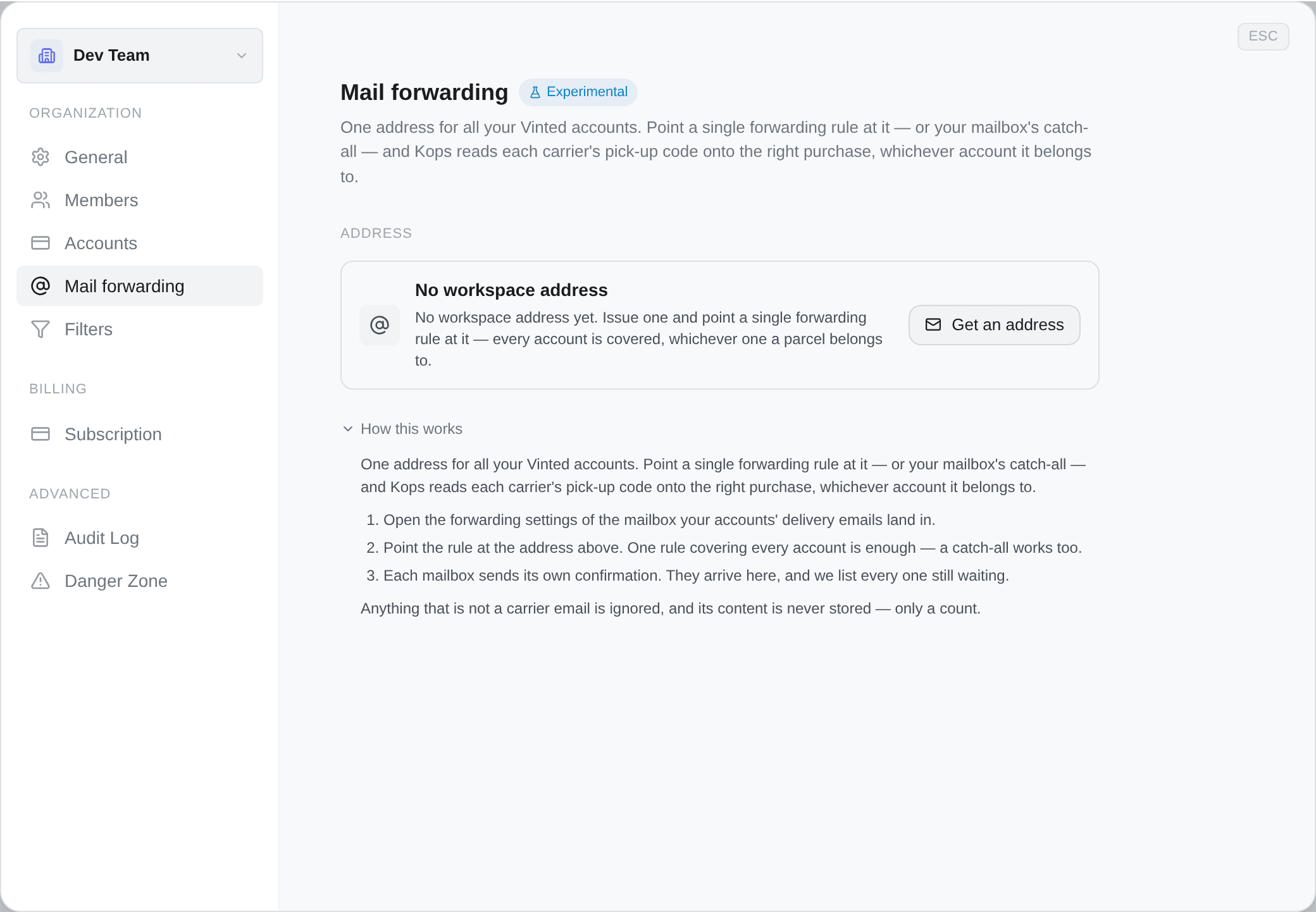
Workspace settings → Mail forwarding, then Get an address. That is the setup, and there is only one of it.
Point a single forwarding rule at it — or your mailbox's catch-all — and Kops reads each carrier's code onto the right purchase, whichever account the parcel belongs to. Accounts covered this way show Covered by the workspace address on their own panel, with nothing left to set up.
Matching does not get looser for it: a forwarded carrier mail is tied to an order by its tracking number, not by which address it arrived at. So one address is not a compromise for a workspace with twenty accounts — it is the same accuracy with one rule instead of twenty.
Anyone who can see your accounts can read this address and its traffic. Only a workspace admin can issue, replace or switch it off.
One case is worth knowing, because it is the one that otherwise goes silently wrong: an account whose own mailbox has an unanswered forwarding confirmation forwards nothing until that is answered. Its panel keeps saying so, and the link itself is surfaced on the workspace list, where you will actually see it.
Setting up the forwarding rule
Three steps, whatever your provider: add the Kops address as a forwarding destination, answer the confirmation it triggers, then decide what gets forwarded.
That last step is a real choice. Everything works — anything that is not a carrier email is discarded on arrival and never written down — but a filter that forwards only your delivery mail keeps the rest of your inbox out of the trip entirely, and that is the version worth the extra two minutes.
- Settings (the gear) → See all settings → Forwarding and POP/IMAP.
- Add a forwarding address, paste the address Kops shows, then Next → Proceed.
- Gmail sends a confirmation code to it. It arrives in Kops — copy it back into Gmail and confirm.
- Then choose what to send. Either turn on Forward a copy of incoming mail to… for everything, or — better — go to Filters and Blocked Addresses → Create a new filter, put your carriers' sender addresses in From, and give the filter the action Forward it to your Kops address.
A Gmail filter only applies to mail arriving after it is created. Existing delivery mails stay where they are.
These are other companies' screens and they change without telling anyone. If a menu is not where this says, the step is still the same one.
The confirmation step
Mail providers will not forward anywhere until the destination proves it wants the mail. That challenge — a code, or a link to click — lands at your Kops address, and Kops shows it to you.
- A code: Kops displays it. Paste it back into your provider.
- A link: Kops shows Open the link. Opening it finishes the setup.
With several mailboxes forwarding to one workspace address, you get one challenge per mailbox and each confirms a different one — work through all of them. Mark one done to take it off the list; that does not stop mail arriving.
An unanswered challenge expires after 14 days, and until a mailbox is confirmed it forwards nothing.
Reading the status
| Status | What it means |
|---|---|
| Waiting for mail | Address issued, nothing has arrived yet |
| Needs confirming | Your provider is waiting on a confirmation — see above |
| Receiving | Carrier mail is arriving and being read |
| Off | Forwarding is switched off for this address |
Under it, a traffic line: how many messages arrived, how many were carrier mail, and when the last one landed.
If it says none of them was a carrier email, the address works — mail is reaching us — but the mailbox forwarding to it is not the one your delivery mails go to. Marketplace notifications and newsletters are ignored.
Replacing or switching off an address
| Action | What happens |
|---|---|
| Replace address | The current address stops accepting mail immediately and can never be issued again. Update every forwarding rule pointing at it. |
| Turn off | Mail sent to the address is refused. Codes already read stay on your purchases. |
| Turn back on | Issues a different address — you will have to update the rule in your mailbox. |
On a workspace address, both apply to every account it covers.
What we store, and what we do not
You are being asked to point a mailbox at us, possibly a catch-all, so this is worth stating exactly.
| What arrived | What is kept |
|---|---|
| Not a carrier email at all | The content is never written down. Only a counted row, for 7 days — enough to tell you an address is being flooded with junk |
| A carrier email, code found | The body is not stored at all — the code has already been extracted. What remains is a few fields saying which message produced the code, kept for as long as the parcel it explains |
| A carrier email we could not read | The message is kept 30 days, so the template can be fixed and the code recovered; the accounting row, 90 days |
| A provider confirmation | The confirmation is shown for 14 days, then expires. The message body is not stored |
The only messages whose content is ever written to disk are carrier mails about a parcel of yours that we failed to read — kept precisely so that failure can be fixed, and on a clock. A newsletter, a bank statement or anything else that reaches the address leaves a count and nothing more.