Pick-up points and codes
Where the parcel is waiting, what it takes to get it out — a QR, a code, or an identifier and an opening code typed into two different fields — and what to do when the carrier moves it to a shop you never chose.
The Pickup point column on /purchases — which carries the code chip too, on a desktop.
The point itself
The cell names the place, with a glyph for what kind of place it is where Vinted told us — a locker, a shop front, a post office. Three icons rather than one pin, because a locker and a staffed counter are different errands, and they are also the two the carriers quote different hold windows for:
| Type | What you will find |
|---|---|
| Locker | An unattended automated parcel locker |
| Parcel shop | A staffed relay or shop counter |
| Post office | A postal counter |
Click the cell for the full address and Open in Maps. The type matters beyond curiosity: it decides how long the parcel is held before it is sent back — see Deadlines.
Group the To collect tab by Pickup point and every parcel waiting at the same address lands under one heading. That tab arrives grouped that way already.
In streamer mode, the point's name, its address and the maps link are all masked. A pick-up point is a physical place you go to.
When the carrier moves your parcel
It is rare and it does happen: a relay is full, a shop is closed, and the network reroutes the parcel to another address. Vinted announces it once, inside the conversation, and nowhere else.
The row shows a badge — The carrier moved this parcel to another pick-up point — with when we learned of it. Open the cell and you get the whole trail, oldest first, with each earlier point marked was.
Two things worth knowing about that trail:
- The timestamp is when we read the news, not when the carrier moved the parcel. Vinted publishes no time for the move itself, only for the message announcing it.
- If the trail starts partway through, you get Earlier pick-up points weren't recorded rather than a blank where the origin should be.
Always trust the point currently shown on the row. It is the one the parcel is actually headed for.
Getting the parcel out
Two mechanisms, one button. A parcel can have both.
For the parcels Vinted itself brokers, the chip offers Show the pick-up QR code. It opens a scannable QR plus the numeric code underneath it, fetched live when you open it.
It is never stored — the image link expires, and the pair is a credential for collecting your parcel. Opening the modal fetches a fresh one every time, which is also why it needs the owning account's Vinted session and stops working when that account does.
The chip appears only when Vinted has actually confirmed a code exists for this parcel. Most carriers issue none at all, and a button that turns out to be a lie while you are standing at the locker is worse than no button.
An identifier and an opening code
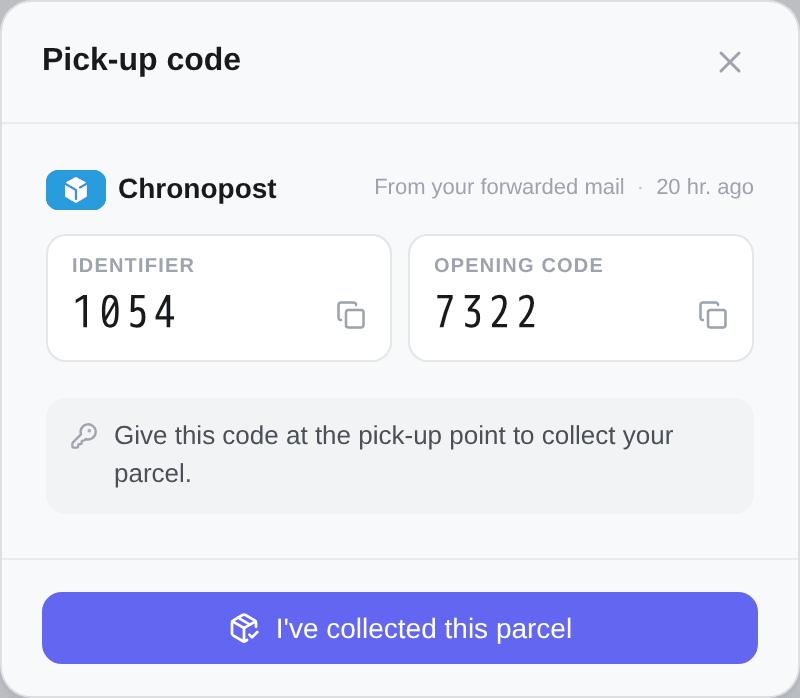
Some locker networks issue a credential in two halves, typed into two different fields on the keypad:
- Identifier
- Opening code
Kops shows them as two labelled values with a copy button each, never joined into one string. A hyphen between them would carry the whole instruction and leave you guessing which half goes where.
Where the carrier also renders the credential as a scannable image, the modal shows it under Scan this at the locker. If that image fails to load, the code underneath still works.
Marking a parcel as collected
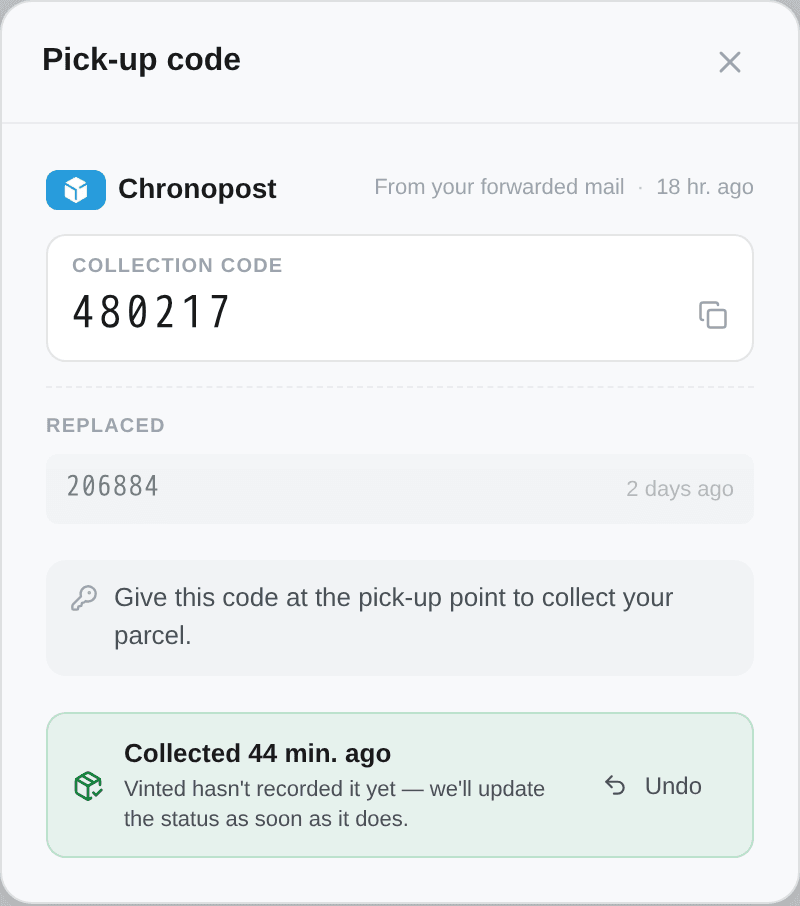
Once the parcel is in your hands, Mark as collected records that — on the row, and in the code modal as I've collected this parcel.
It writes a note on your own row and contacts nobody. The status, the tab and every count stay exactly as they are.
You can see it without opening anything: the code chip turns green and its glyph changes from a QR square to a parcel with a tick, and its name becomes Collected — show the pick-up code. Three signals for one fact, because colour alone is a status nobody with a red-green deficiency can read on a chip whose job is being spotted while scanning a column. On a row with no chip — the mobile card, or a parcel whose credential a re-probe withdrew — the tick is drawn beside the point's name instead. Never both.
What it changes is the wait. Vinted can take a while to register a handover, and until it does the order sits under To collect as though the parcel were still on a shelf. The mark tints it as yours, and the moment Vinted catches up, the status flips to delivered on its own — We'll switch it to delivered as soon as Vinted confirms.
Marked in error? Not collected after all takes it back, in the same slot.
The button appears on a parcel that has actually arrived somewhere you can walk to: either Vinted says it is waiting at the point, or a code has been read for it. It disappears once Vinted has recorded the delivery, and it is never offered on an order you have already closed yourself.