Adding a Vinted account
Connect a Vinted account with its email and password, or with tokens when login is blocked — or buy one in the Shop, already connected. What each method costs you, what 2FA looks like, and what every error at this step actually means.
Everything here happens on /accounts.
Read Creating a Vinted account safely first. Connecting a badly prepared account can get it banned inside a day. Kops warns you at this exact step for a reason: the Vinted account is yours, the sanctions land on it, and we cannot undo them.
The accounts page
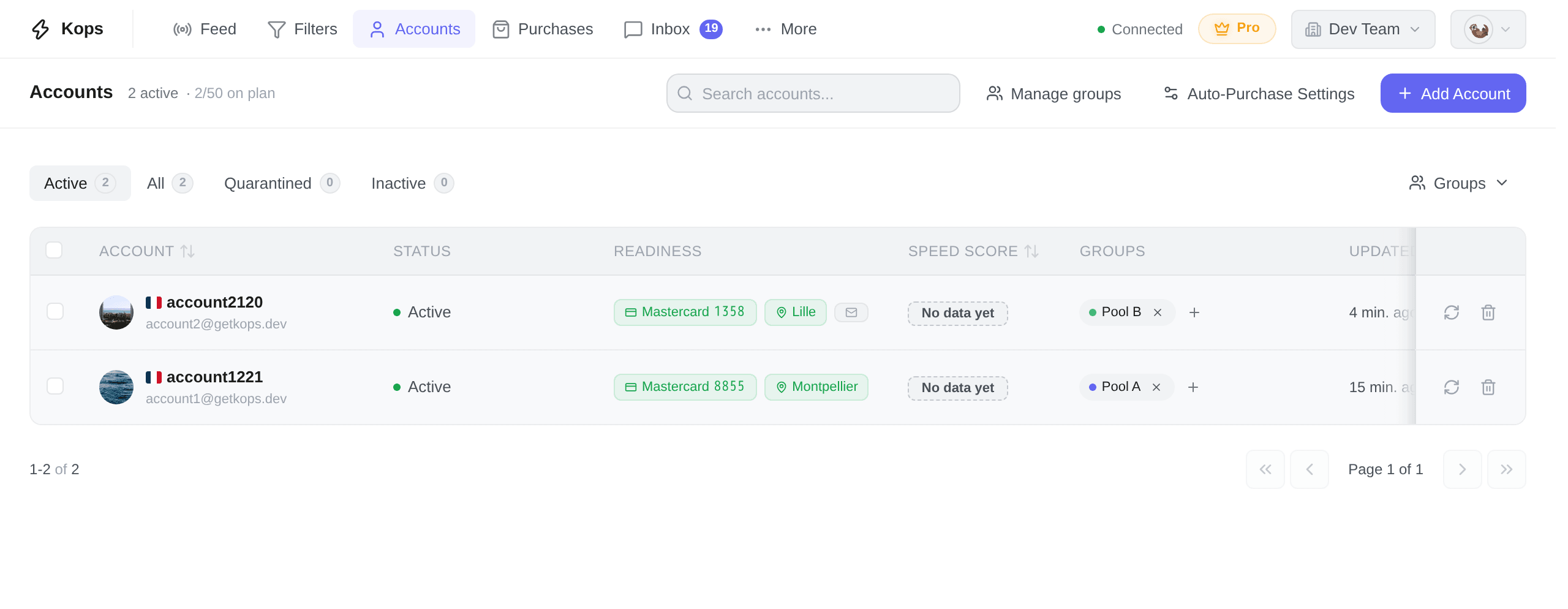
Above the table: the status tabs — Active (where you land), All, Quarantined, Inactive — each carrying a live count, a Groups filter, and a search box. The subtitle beside the title says how many accounts the current tab holds, then how many of your plan's slots are taken — 2/50 on plan. That second half turns red once you are at the ceiling. Accounts bought in the Shop are not in it, since they take no slot; while the workspace holds some, an Admin sees {count} bought in the Shop after it, which opens the Shop's orders — a phone leaves it out.
Add Account is top right. When your plan has no slot left it is replaced by Upgrade, and the tooltip names the ceiling you hit. Once the Shop is there for your workspace, an Admin sees Buy accounts just before it, which opens the Shop's catalog; on a narrower screen it folds into the ⋮ menu with the header's other buttons.
The columns
| Column | What it holds |
|---|---|
| Account | Avatar, country flag, username, and the account's email underneath. An account bought in the Shop carries a Shop mark for an Admin, which opens its row on its order's page — on an order of more than fifty accounts, only for the fifty delivered last |
| Status | Active, Quarantined (with the time left) or Inactive — see Account states |
| Readiness | One pill per thing the account needs: its card, its address — see Account states |
| Usage score | How much of the account's attempt allowance is used in the last hour or 24 hours. The higher percentage is shown. |
| Groups | The groups this account belongs to, and a + to change them |
| Updated | When Kops last synced this account with Vinted |
Two buttons are pinned to the right edge of every row and stay there while the row scrolls: Refresh account and Remove from Kops. Before removing an account bought in the Shop, read What Remove actually does: it ends the checks its warranty rests on.
Finding one account among many
The search box matches on username or email — not on the note, not on the group. It searches your whole fleet, not the page you are looking at.
The Account, Usage score, Speed Score (when shown), and Updated headers sort the whole fleet, not just the twenty rows on screen. Click once for descending, again for ascending, and a third time for the default order. Any sort change returns you to page one.
Usage is the main score. It counts attempts — each purchase attempt, offer or first message to a seller — against configurable limits of 20 per rolling hour and 100 per rolling 24 hours by default. The tooltip shows both windows and when the account is back under its limits. Blocking purchases and temporarily pausing accounts at these limits are separate settings, both off by default. To show Speed Score, open View → Columns above the table. The daily count collects its first full day after launch.
Accounts whose speed score has never been computed sort last in both directions. "Never checked" is an absence, not a bad result and not a good one.
Ticking rows turns on the bulk bar at the bottom: Refresh, Quarantine, Release quarantine, Add to group, Remove from Kops. It only offers what applies — no Release unless something quarantined is selected.
Three ways in
Click Add Account. The modal opens on Login, and the second tab is Tokens. The third way skips the modal altogether: buying the account in the Shop, already connected.
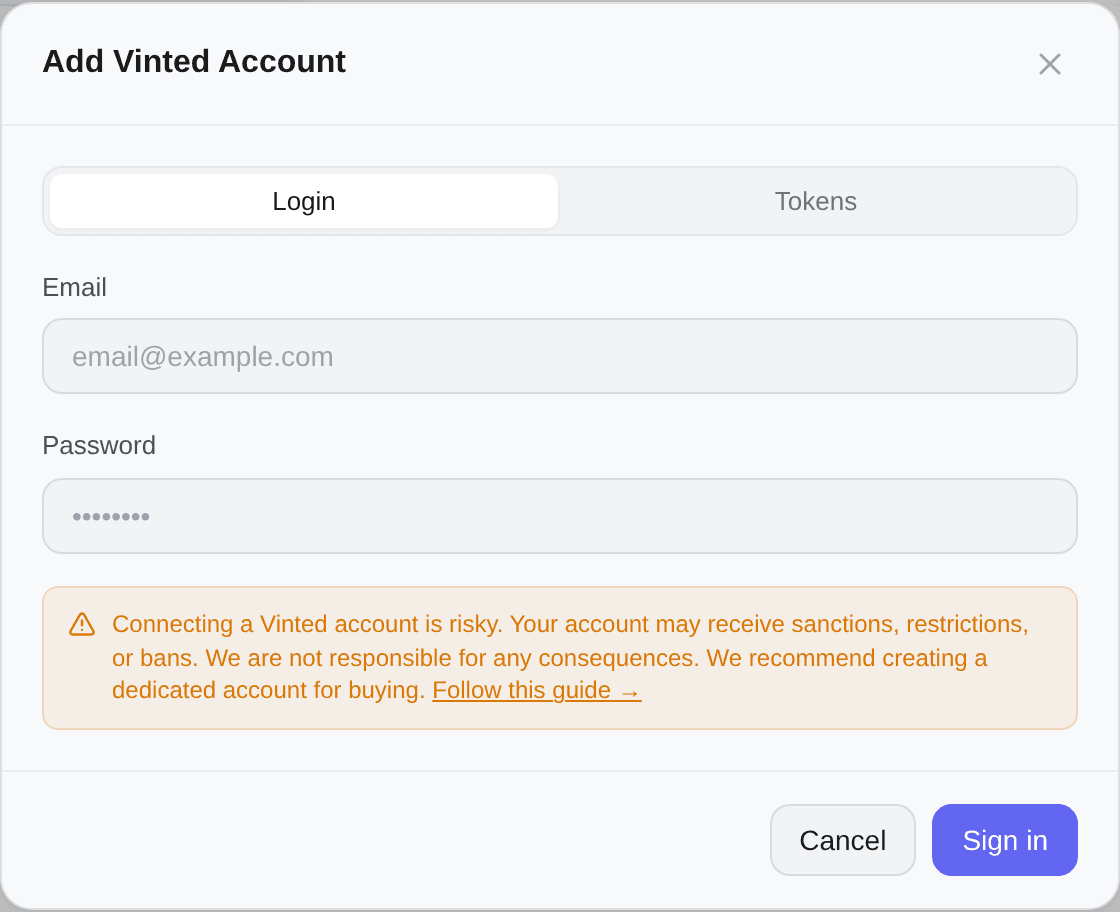
Kops authenticates with Vinted itself, two-factor included — with the Vinted email and password, and only that way: no Apple, Google or Facebook sign-in.
- Email — the Vinted account's email, not your Kops one
- Password — the Vinted account password. An account opened with Apple, Google or Facebook may not have one yet: create it first
- Sign in
Kops validates against Vinted, pulls back the account id, username, country and avatar, and adds the account.
This is the path to use unless it fails: the session it creates is complete, and Kops can renew it on its own.
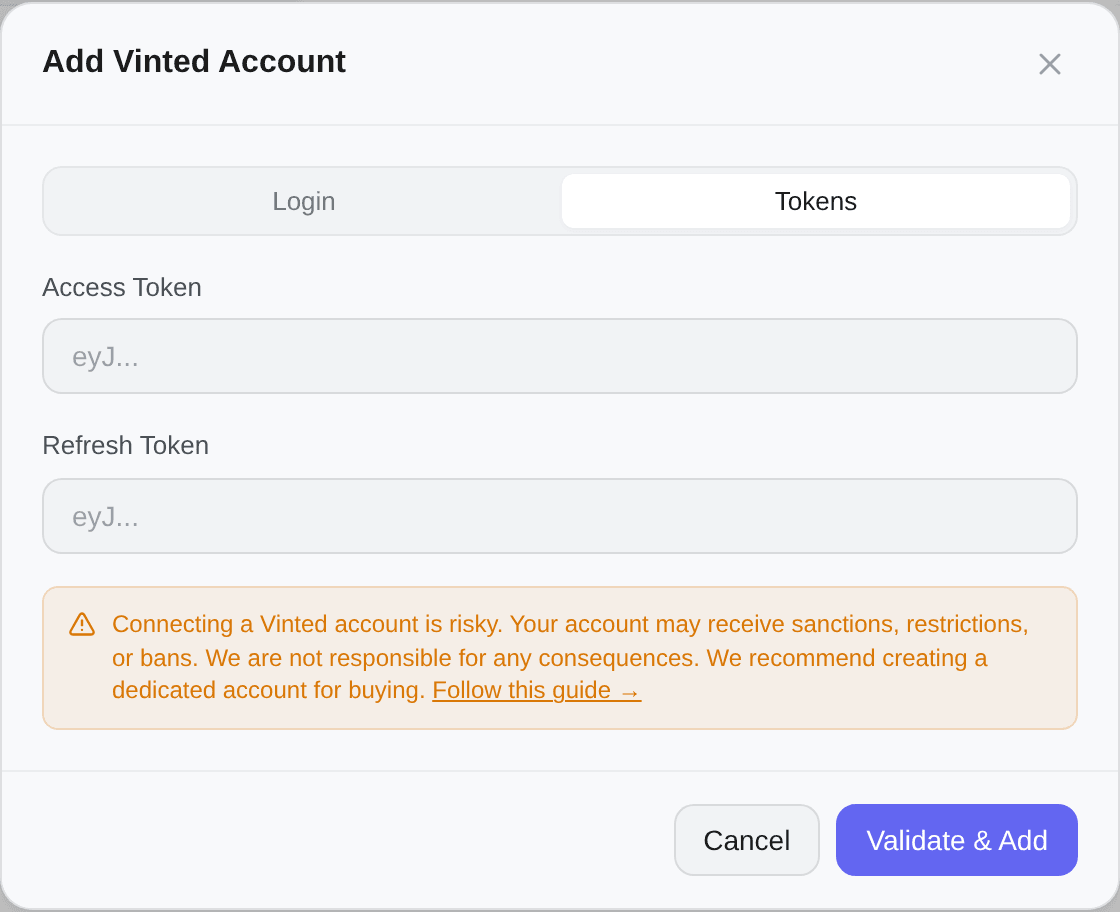
The modal carries its risk warning at the bottom on both tabs, with a link to the safe-creation guide. It is not a legal formality: what happens to the Vinted account happens on Vinted, where we have no say.
Buying accounts in the Shop
Buy accounts opens the Shop's catalog: Vinted accounts Kops signed in and checked before sale, by country, paid from the workspace's balance. An order's accounts land on this page the moment it is placed — no login, no tokens, no two-factor step — marked Shop, and outside your plan's slots. It takes the Plus or Pro plan, and the Admin role.
Each one still needs a card and an address before it can buy, as any account does. Its credentials are on its order's page, and it is covered for 48 hours against a ban by Vinted. See The Shop and Buying accounts.
Signed up with Apple, Google or Facebook
Kops does not go through Vinted's Continue with Apple, Google or Facebook buttons: it needs the account's Vinted password. An account opened with one of them may not have one yet, and Vinted then refuses it as a wrong password — Vinted refused these credentials. Create it first, on Vinted:
- Open Vinted signed out — a private browsing window will do — and, on the log-in screen, choose to continue with your email.
- Choose Forgotten your password?, enter the account's email, then Send reset link.
- In Vinted's email, open Change password and pick the password.
- In Kops, on the Login tab: that email and that password.
This is the path Vinted's help gives for an account with no password: Change password, in the account's settings, asks for the current one.
Apple, with "Hide My Email". The account's email is then a relay address ending in
@privaterelay.appleid.com, not yours: that is the one to enter, at step 2 and in Kops. Vinted's email reaches you as long as forwarding is on in your Apple ID settings.
Two-factor authentication
If 2FA is on, a verification step appears after the password.
- A verification code is sent by email or SMS — Vinted picks, based on the account's setup
- The screen shows the masked address or number it went to
- The code is four digits, and verification fires on its own the moment you type the fourth
Kops holds the pending login for fifteen minutes. Past that you get Your 2FA session has expired and start the login over — a new code is sent. Vinted's own code may expire sooner than that; the message is the same either way.
What the errors mean
| Message | What happened | What to do |
|---|---|---|
| Vinted refused these credentials | Vinted refused the email or password — or the account has no Vinted password yet | Check them on Vinted itself. Signed up with Apple, Google or Facebook: create a password first |
| Too many login attempts | Vinted rate-limited this IP or account | Wait five to ten minutes. If it keeps happening, use the Tokens method |
| Vinted is temporarily unreachable | An incident on Vinted's side | Retry in a moment |
| This Vinted account has been suspended or restricted | The account is banned or limited | Check it on Vinted. Kops cannot connect a suspended account |
| The logged-in account doesn't match the one being reconnected | See below |
| Message | What happened |
|---|---|
| The code you entered is incorrect | Wrong code — check the inbox or SMS again. The four boxes clear so you can retype |
| Your 2FA session has expired | More than fifteen minutes between the code and typing it. Start the login over |
| Too many verification attempts | Wait before retrying |
| Your verification session is no longer valid | Start over from the beginning |
The last two send you back to the login form on their own, rather than leaving you typing into a session that no longer exists.
Reconnecting an account
An account that went Inactive because its session died shows a Reconnect button. It opens the same modal in reconnect mode, with the same two tabs — you can re-authenticate with the password, or paste fresh tokens.
Kops checks that the credentials you give belong to the same Vinted account it is reconnecting, and refuses otherwise — The logged-in account doesn't match the one being reconnected. That guard exists so a mistyped login cannot overwrite one account's history with another's.
If you genuinely want a different account, add it as a new one instead.
An account bought in the Shop reconnects the same way, with the password from its credentials on its order's page — or the one you set, if you changed it. While its warranty runs, reconnect it before the warranty ends: Kops cannot check a signed-out account, and the warranty checks it through Kops. See Keep it in Kops and signed in.
See Account states for why an account goes inactive in the first place.